
Are you encountering the frustrating “IDM Extension may have been corrupted”
error while trying to download files using Internet Download Manager (IDM)?
This issue often arises due to outdated IDM extensions or compatibility issues
with your browser.
But worry not, as we’ve compiled a comprehensive guide to help you resolve
this error and get IDM back up and running smoothly.
How to Fix IDM This Extension may have been Corrupted

Here’s a quick guide to fix it:
-
Remove IDM Extension: Start by removing the IDM extension from your browser.
This ensures a clean slate for the reinstallation process.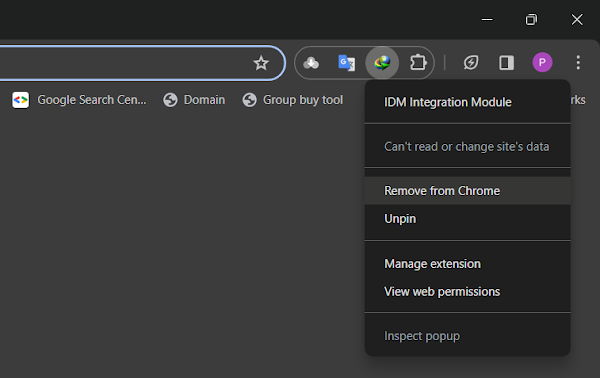
-
Update IDM: Next, ensure you have the latest version of Internet Download
Manager installed. Updating IDM eliminates any bugs or compatibility issues
that may be causing the error. Download Latest Version of IDM. -
Reintegrate IDM Extension: After updating IDM, it’s time to reintegrate the
IDM integration module into your browser manually.
Follow the step-by-step guides provided on our blog for seamless integration:
How to Fix:
- Error: Cannot launch IDM, either IDM application is not installed, or some of its files are corrupted
- IDM Integration Module This Extension may have been Corrupted
- This version of IDM does not support this type of downloading
- Permission Denied IDM Firewall Error
- Cannot transfer the download to IDM
- IDM HTTP/1.1 403 Forbidden
- This extension may soon no longer be supported IDM